Grading Brightspace Assignments Anonymously

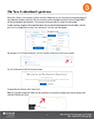
Link to PDFThe ability to grade assignments anonymously eliminates unconscious bias during the grading and feedback process. When anonymous grading is enabled, instructors can only identify their students as anonymized learner names on the assignments (i.e. Anonymous User 1). It is imperative that instructors inform their students to omit any identifying information in their assignment submissions. When grades are published to the gradebook, the identities of the students are revealed.

Grading Brightspace Assignments Anonymously [PDF]

Grading Discussion Topics

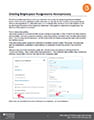
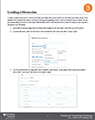
Link to PDFIn order to grade a Discussion,  a Discussion Topic associated with a grade item must have been previously set up. Once students have posted their replies, instructors can begin the grading process. There are multiple ways in which you can go about grading a Discussion, some more efficient than others. This document will outline the steps on how to grade a discussion most efficiently.

Grading a Discussion [PDF]

Weighted vs. Points Grading and Grade Categories

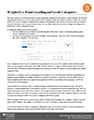
Link to PDFThe most common issue instructors have with the Brightspace gradebook is the system’s default settings. The fact that the gradebook defaults to a Points system rather than a Weighted system has caused a number of issues. We strongly advise instructors to change this setting before setting up the gradebook items. There are very few marking schemes that lend themselves well to a points-based system, it is very likely instructors will need to change the settings in the gradebook to reflect a Weighted system.

Weighted vs. Points Grading [PDF]