Brightspace Rubric Tool

Link to PDFRubrics are a useful tool instructors can use to define their expectations for students and can be used in providing feedback. The Brightspace Rubrics tool makes it easy for instructors to integrate rubrics into their online or blended courses. The following instructions will cover creating new rubrics and adding rubrics to an assignment or a discussion in Brightspace. A document on viewing rubrics for students has also been included. It is recommended that instructors intending to use rubrics circulate this document to their students.

Brightspace Rubric Tool [PDF]

Viewing Rubrics for Students [PDF]
 

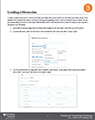
Setting up Discussions

Link to PDFThe Brightspace Discussion tool is very useful in enabling student interaction within online and blended environments. To set up discussions, forums must be created first. A forum exists to organize or group similar or recurring discussion topics. For example, to set up a weekly discussion, start by creating a forum titled “Weekly Discussions”. Within that forum, you would have weekly “topics”.

Setting up Discussions [PDF]

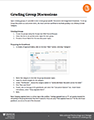
Grading Discussion Topics

Link to PDFIn order to grade a Discussion,  a Discussion Topic associated with a grade item must have been previously set up. Once students have posted their replies, instructors can begin the grading process. There are multiple ways in which you can go about grading a Discussion, some more efficient than others. This document will outline the steps on how to grade a discussion most efficiently.

Grading a Discussion [PDF]

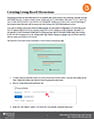
Creating Group Based Discussions

Link to PDF

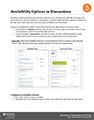
Using group activities can help build community and establish peer communication and connection, especially in online and blended learning. In large enrolment courses, assigning groups for participation in discussion forums is one of the ways to make online discussions more effective and manageable. Setting up group discussions requires knowledge of the Discussion Board hierarchy and how group restriction settings work within the Brightspace system.

Creating Group Based Discussions [PDF]


Balancing Quality and Workload in Asynchronous Online Discussions:

Managing asynchronous online discussions can be time-consuming for both instructors and students. Finding a balance between quality interaction and workload can prove difficult. Zvi Goldman (2011) addresses this challenge in the article, Balancing quality and workload in asynchronous online discussions (Journal of Online Learning and Teaching Vol. 7, No. 2, June 2011). the article discusses how to achieve a win-win balance between quality and workload for students and instructors participating in asynchronous online discussions. A Discussion Guideline document including minimum requirements and best practices is included. The approach covers three phases: design and development, setting up expectations, and launch and management.