
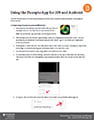
 The new Panopto App for iOS and Android allows instructors and students to view Panopto recordings on mobile devices. The app is free to download.
Category: iPad Tips for eLearning
This section contains resources related to using an Apple iPad as a tool in course delivery, mobile applications, and best practice.
AirServer – Getting Started
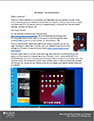 AirServer is software that allows you to display your iPad screen onto your desktop computer in real time. It essentially gives your desktop the functionality of an AppleTV, in that, you will be able to project your iPad screen onto your desktop screen as a resizable window. This window can then be shared in meetings, recorded with Panopto, etc.
Microsoft OneDrive File Sharing and Storage for your iPad
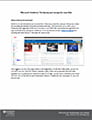 OneDrive is a tool that allows users to store files in the cloud, share files, and sync files across mobile devices (iPad) and desktop computers (Windows and Mac). OneDrive allows you to store up to 1 Terabyte (1,000 Gigabytes) of files and is included in your Office 365 membership through Dalhousie.
Microsoft OneDrive File Sharing and storage for your iPad [PDF]
iPad Getting Started
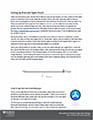 When you first receive your iPad and Pencil there is some set up required. The following document will guide you through the set up process for the iPad and Apple Pencil.
iPad Getting Started [PDF]
Drawing on a PowerPoint Presentation
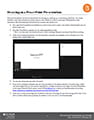 Microsoft PowerPoint has built in functionality for drawing on, marking up, or annotating slideshows. This can be beneficial when delivering lectures both in person and virtually as it adds an extra layer of interaction to the experience.
Drawing on PowerPoint [PDF]